How to add UGC videos to your product pages: the complete guide
One customer films their skincare routine using your serum. Another shows how much they can fit into your bag. A third walks viewers through assembling your shelving unit, step by step.
These videos are already out there on TikTok and Instagram. They spark conversations and often answer the very questions your potential customers are asking. Yet none of them appear on your product pages.
That’s a missed opportunity. In JOIN’s State of Video Commerce 2026 report, UGC achieves a completion score of 59.8%, a measure of how far viewers progress through a story on average. That makes it well worth considering as part of the shopping experience.
But how do you bring those videos from TikTok to your online store? Which ones should you choose, how do you secure permission, and how do you link them to products in your catalogue?
Here’s how to turn UGC into shoppable video on your product pages in four steps.
.png)
Why add UGC to your product pages?
Imagine you’re looking for a bag to take to work. The product page has the dimensions, materials and plenty of photos. All the information is there. But you’re still wondering whether your laptop, water bottle and lunch will fit.
Then a customer shows you what they carry in theirs. Within seconds, you have your answer.
That’s the value of UGC, or user-generated content: a video made by a customer or someone in your community can give shoppers a practical look at how a product is used.
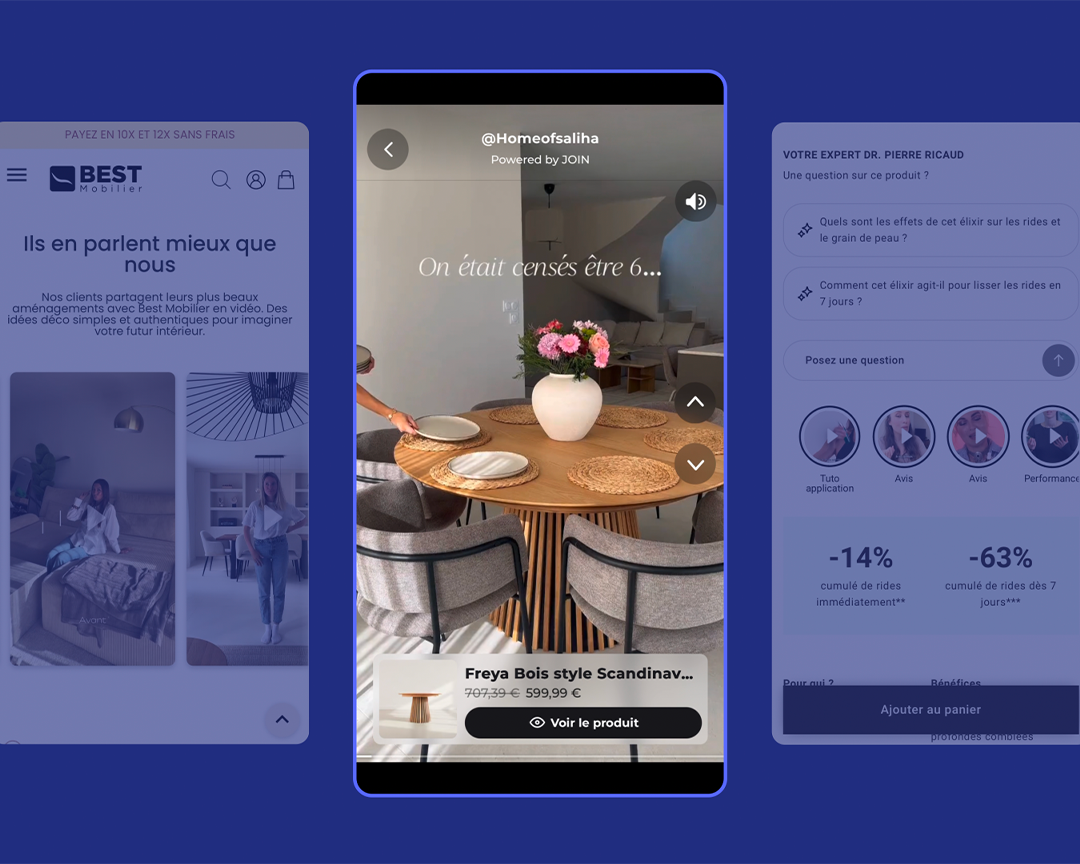
A video becomes shoppable when you add a product link or an add-to-cart button. Shoppers can then move from watching to buying directly from the player.
This doesn’t mean UGC always converts better than brand-created content. Tutorials also score highly for completion in JOIN’s data. Each format can serve a different purpose: explaining a technique, showing a detail or sharing an experience.
Step 1: Find and collect relevant UGC videos
Start by searching for your brand name, account handle and hashtags on TikTok and Instagram. Search for your product names too: a customer may mention a product without tagging your brand.
It’s tempting to pick the videos with the most views. Keep view counts in mind, but don’t make them your main selection criterion. A video with very few views might answer a concern your customer service team hears every week.
As you build your shortlist, focus on:
- What it shows: Can you clearly see the product and how it’s used?
- What it answers: Does it help shoppers understand the size, texture, assembly process or finished result?
- Production quality: Is the footage clear, is there enough light, and is the message easy to follow?
- Whether it’s still relevant: Is the product still available, with the same features?
Clips of 15 to 45 seconds are a useful starting point. Treat this as a guide for your selection, and allow more time if the demonstration needs it.
Next, collect the links in a spreadsheet, along with the creator’s name, the product and what makes each video useful. JOIN’s UGC activation feature lets you find content that mentions your brand on Instagram and TikTok and bring it together in a library.
✅ Action: Choose five videos and note the shopping question each one answers.
Step 2: Get permission to use the videos on your website
You’ve found the perfect video. The product is clearly visible, the demonstration is convincing, and the tone fits your brand. Now you need permission to publish it on your website.
A public post doesn’t automatically give you the right to reuse it commercially, even if it tags your brand. You need to agree how the content will be used and account for the rights of anyone identifiable in the video over the use of their image.
Your first message can be simple. Introduce yourself, identify the video and explain exactly what you’d like to do with it:
Hi [first name],
I’m [name] from [brand]. We loved your video about [product + link], especially the part where you show [detail].
We’d like to feature it on the product page on [website] for [duration], with credit to you and a link for shoppers to buy the product.
Would you be interested? We can send over the usage terms and discuss compensation before anything goes live.
This message starts the conversation. The agreement should then specify the rights granted, where the content can be used, the territory, the duration, any permitted edits, and the payment terms or an explicit agreement that no payment is due.
Don’t forget the music. Check that you have the rights needed for your intended commercial use. The creator’s permission alone doesn’t cover the soundtrack. If necessary, ask for a version without music and agree any changes with the creator.
For a handful of videos, you can track permissions manually. As your collection grows, it becomes harder to keep track of which videos you can use and when permissions expire. JOIN lets you manage requests in one place and track approvals.
✅ Action: Draft your outreach message and a reusable permission template.
Step 3: Use AI to match videos to the right products
To make a video shoppable, you need to link the products it shows to the correct items in your catalogue.
That link lets shoppers find the product while they watch.
JOIN uses AI product detection to identify products in your content and automatically match them to the corresponding product pages. This reduces the number of manual matches you need to make when you have dozens or even hundreds of videos to put to use.
Make sure your catalogue is up to date, with clear product images and identifiers. Then check the matches before publishing.
Pay particular attention to products that look alike: two sizes of the same bottle, different bag sizes or similar shades.
✅ Action: Choose three priority products, then check that each video is linked to the correct catalogue item.
Step 4: Add shoppable videos to your online store
You’ve selected your videos, secured the rights and matched the products. You’re ready to publish.
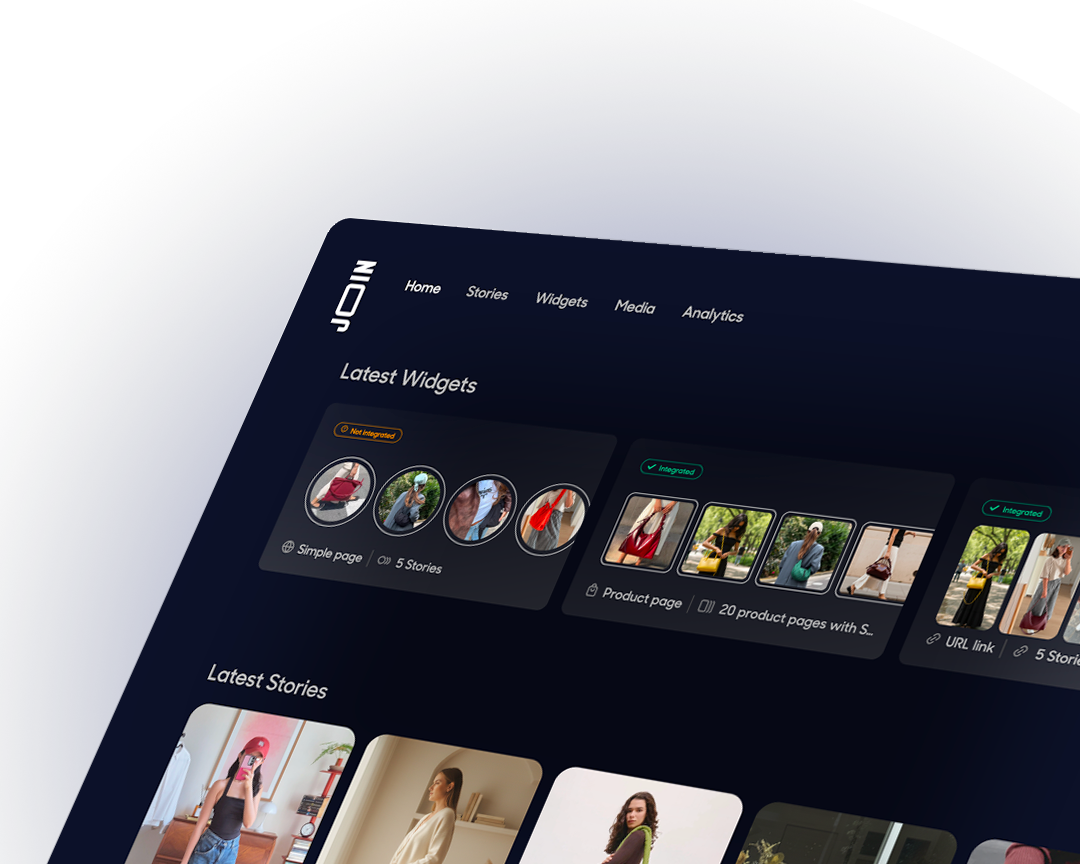
Videos appear in a widget, a video module embedded on your website. JOIN offers several layouts, including embedded players, carousels, stories and floating formats. You can use them on product pages, category pages or your homepage.
For your first test, choose a product page with plenty of traffic. You’ll have a better chance of gathering enough data to assess the results.
Next, choose the placement based on the content.
→ A video explaining how a garment fits could work well near the size selector.
→ A product demonstration may fit more naturally alongside the image gallery.
The aim is to make the video easy to notice while keeping product information and the purchase button within easy reach.
Check how it works on a smartphone too: mobile accounts for 77.3% of widget impressions observed by JOIN. Check the framing, subtitles, how easily shoppers can close the player, and whether they can access the product.
Then follow the full journey through to the basket. Is the right model shown? Are the variants easy to understand? Does the page still feel responsive? Test it under the same conditions your customers would browse in.
✅ Action: Publish your first widget on a bestseller’s product page that already gets traffic, and set up conversion tracking before starting the test.
What results can you expect from shoppable UGC?
In the State of Video Commerce 2026 report, shopping experiences with video record an average relative increase in conversion of 6.1%, rising to 17.7% for the top-performing 10% of brands. These benchmarks cover shoppable video as a whole, rather than UGC alone.
They provide a useful reference point. To find out what works for your store, you’ll need to run your own test.
The most useful approach is to randomly assign visitors to a version with video or a version without, then compare the results across the two groups. This avoids simply comparing people who watch videos with those who don’t, since their initial interest in the product may already differ.
Track adds to cart, purchases and revenue per visitor. Then look at how shoppers interact with the player to help explain the results.
Do they notice the video? Do they open it? Does the content answer the question it promises to address quickly enough?
✅ Action: Choose your primary metric before launching and define the sample size you’ll need to interpret the results.
FAQ: Turning UGC into shoppable video
How do I find UGC videos made by my customers?
Search for your brand, hashtags and product names on TikTok and Instagram. Check your mentions and turn on notifications to spot new posts.
How do I ask a TikTok creator for permission to use their video?
Contact them with a link to the video, explaining how you’d like to use it and for how long. Then put the usage terms in writing before publishing.
Can AI recognise my products in a video?
JOIN offers this feature to match content to product pages. Check the matches before publishing, especially when several products look similar.
How long does it take to publish a shoppable video?
JOIN reports an average of 2 to 24 hours from sign-up to publishing a first widget. You’ll need to allow separate time to obtain permission from creators.
Does it work with PrestaShop and Magento?
Yes. JOIN lists PrestaShop, Magento, Shopify and WooCommerce as compatible platforms. The installation process depends on your setup.
Should I prioritise UGC or brand-created videos?
Start with the shopper’s question. A testimonial can help them picture using the product, a tutorial can explain how it works, and a demonstration can give them a closer look. Test how each format contributes to purchases on your pages.
Already found a few UGC videos you’d like to use? Discover how to turn them into shoppable experiences with JOIN.
.png)